The agent, on every page
Ask the agent to find, create, or change assets and work orders, and approve what it changes.
Press Shift+A on any workspace page, or select Agent in the sidebar. The agent opens docked on the right, or floating if you prefer, and keeps its conversation while you move between pages.
What it does
- Finds things: search the workspace, or list assets and work orders by type, space, status, people, and dates, such as "work orders changed in the last 4 weeks".
- Reads assets, work orders, spaces, records, and files.
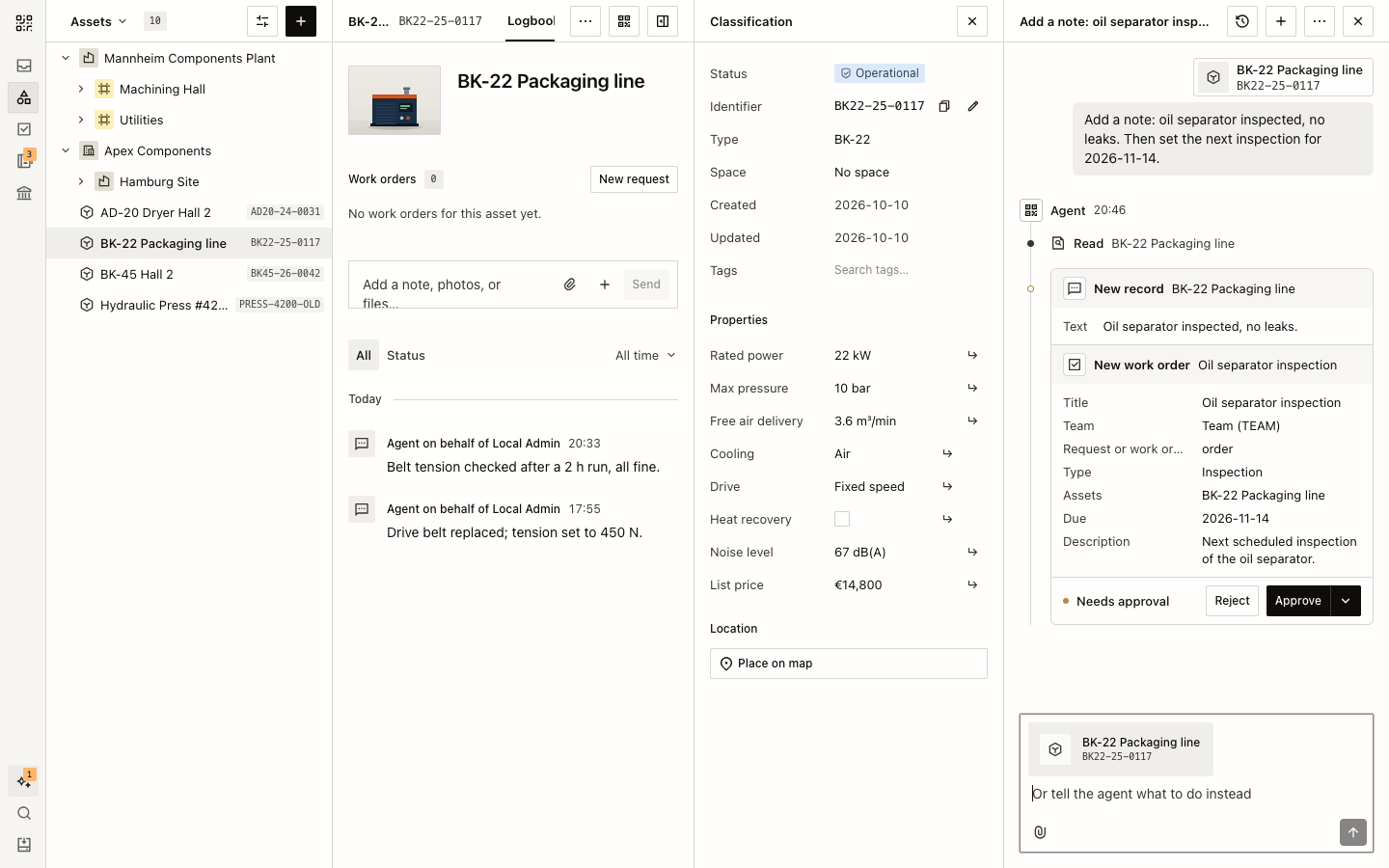
- Creates and changes assets, spaces, work orders, and records, such as a note on the asset you are looking at.
- Understands names you already use: MAINT-12, a serial number, a name, or a link.
On an asset, work order, or space, the agent knows which object you mean. Its replies link the objects it found.
Changes ask first
The agent shows each change, before and after, and waits for Approve or Reject. The menu beside Approve also allows the agent's later changes in the conversation. Writing a message instead tells the agent what to do differently. Owners and admins set the default in Workspace settings → AI models. Moving to Trash always asks.
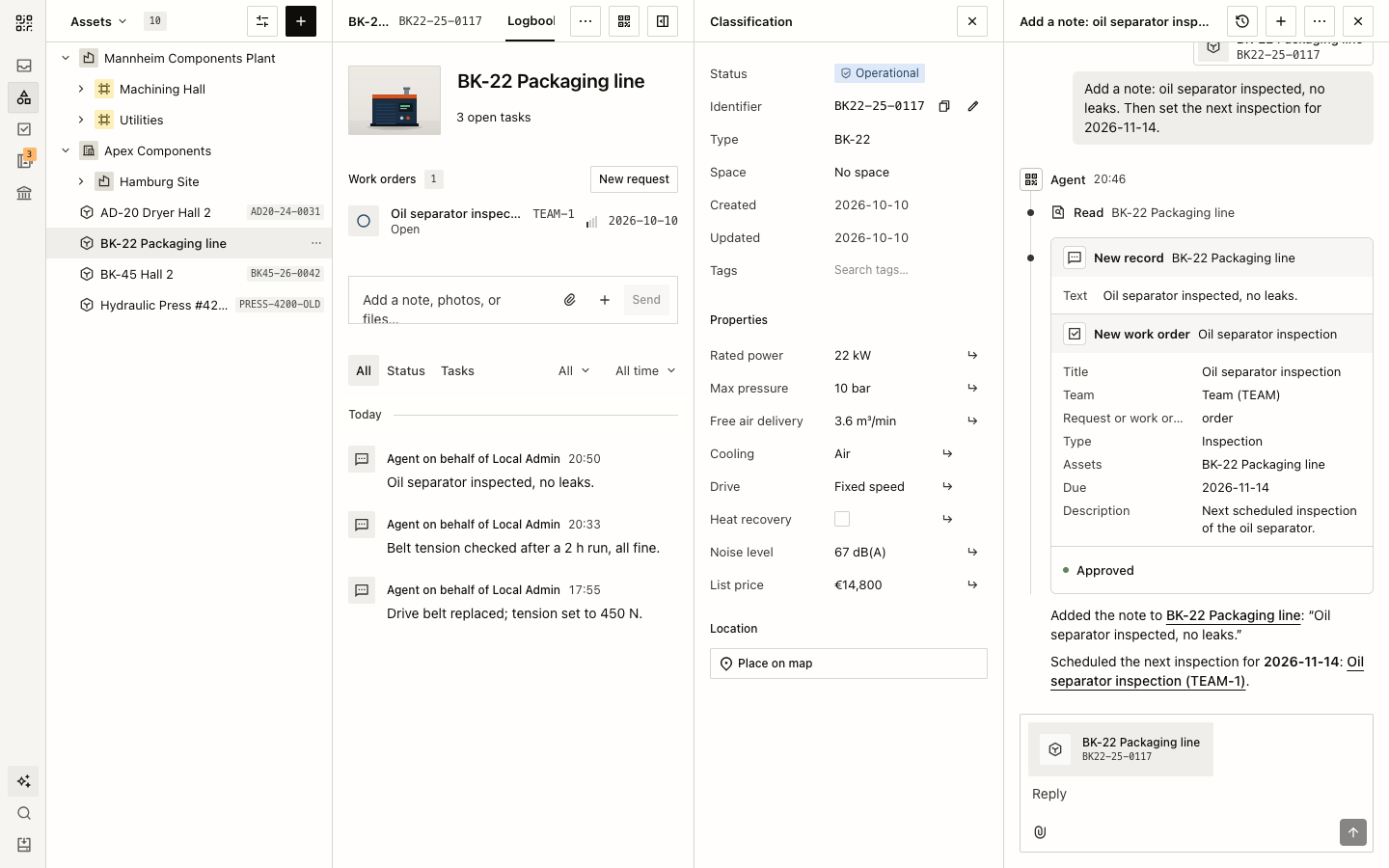
Changes show in activity and records as Agent on behalf of the member who asked.
Built to keep working
Replies stream as the agent writes them. Stop takes the place of Send while the agent works and ends the work at once. Closing the page does not stop it; the sidebar shows when the agent works for you and how many conversations wait for you.
Your agent conversations are in your Personal inbox, which only you can read. See The agent.