Assets and QR codes
Put your sites, lines, and machines in one tree and give each machine a QR code.
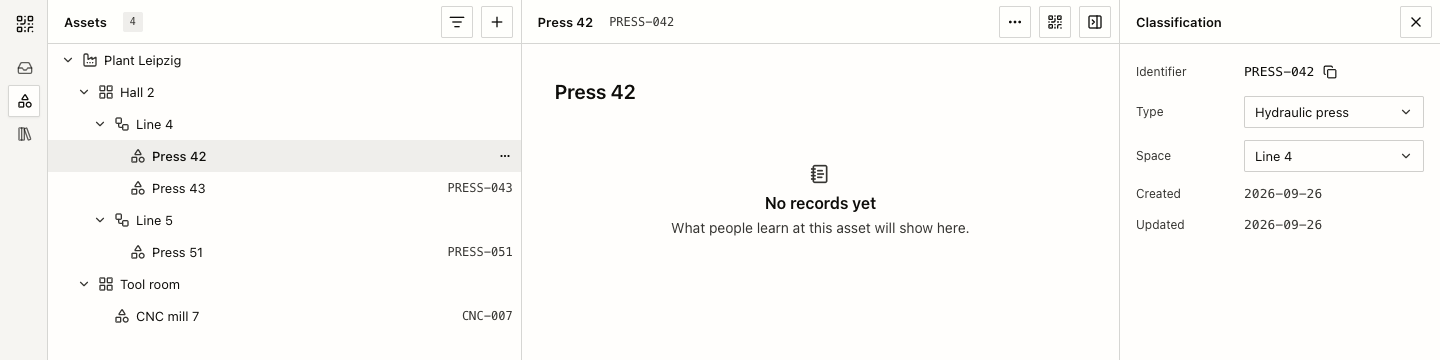
Every member can arrange the workspace's sites, areas, and lines as spaces, and place each asset in its space. An asset is the machine the history follows. Each asset has a QR code that opens it.
How it works
- In Assets, select Create, then Space. Pick a kind: Site, Area, Line, Group, or Organization.
- Select Create, then Asset. Enter a name, an identifier such as
PRESS-042, and the space it is installed in. Leave the identifier empty to create one from the name. - Open the asset and select Show QR code. Select Download SVG to print it, or Copy link.
Drag spaces and assets in the tree to move or reorder them.
Asset types
Owners and admins keep asset types in the Library. Each type has an Identifier pattern. A new asset gets the type whose pattern matches its identifier; All assets is the fallback for everything else. A type can be a variation of another type.
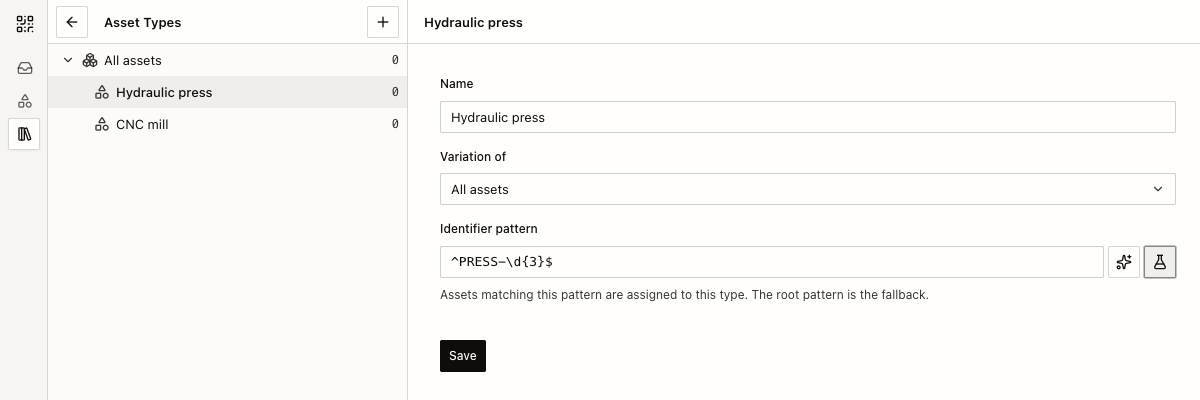
Select Test pattern to check a value against the pattern, or Help me generate to describe your identifiers in plain words and get a pattern.
Scanning a code that is not registered yet
A QR code can be printed before anyone creates the asset. When someone scans a code whose identifier matches a type, Machine QR asks before it creates anything.
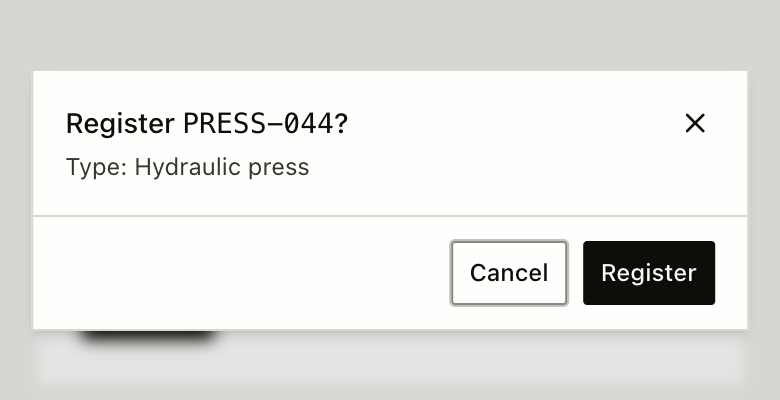
After Register, the scan opens the new asset. A registered asset starts without a space; members place it in the tree later. Opening the link alone never creates an asset.
What to expect
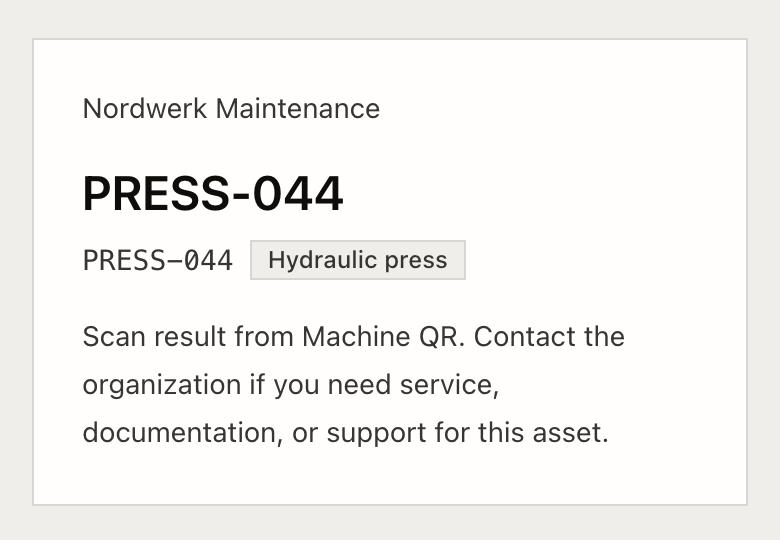
- Visitors who are not signed in can register codes too. Owners and admins can turn this off with Visitor registration in Settings, under Assets. Members can always register.
- An identifier is unique in the workspace. After you delete an asset, its identifier stays reserved, so an old sticker cannot open a different asset.
- A QR link uses your workspace handle:
/@<handle>/<identifier>. After an owner or admin changes the handle, links with the former handle still open the asset.
How to explain it
- "Scan the code on the machine and you land on that asset. If it is new, you can register it on the spot."
- Don't imply: registration places the asset in the right space, or that a visitor sees the asset's history.